Two Doors Into the Same Platform
Since the Sentinel MCP server went into public beta, we keep getting a version of the same question: if I can manage my IoT devices from a chat window, why would I ever log into the portal again?
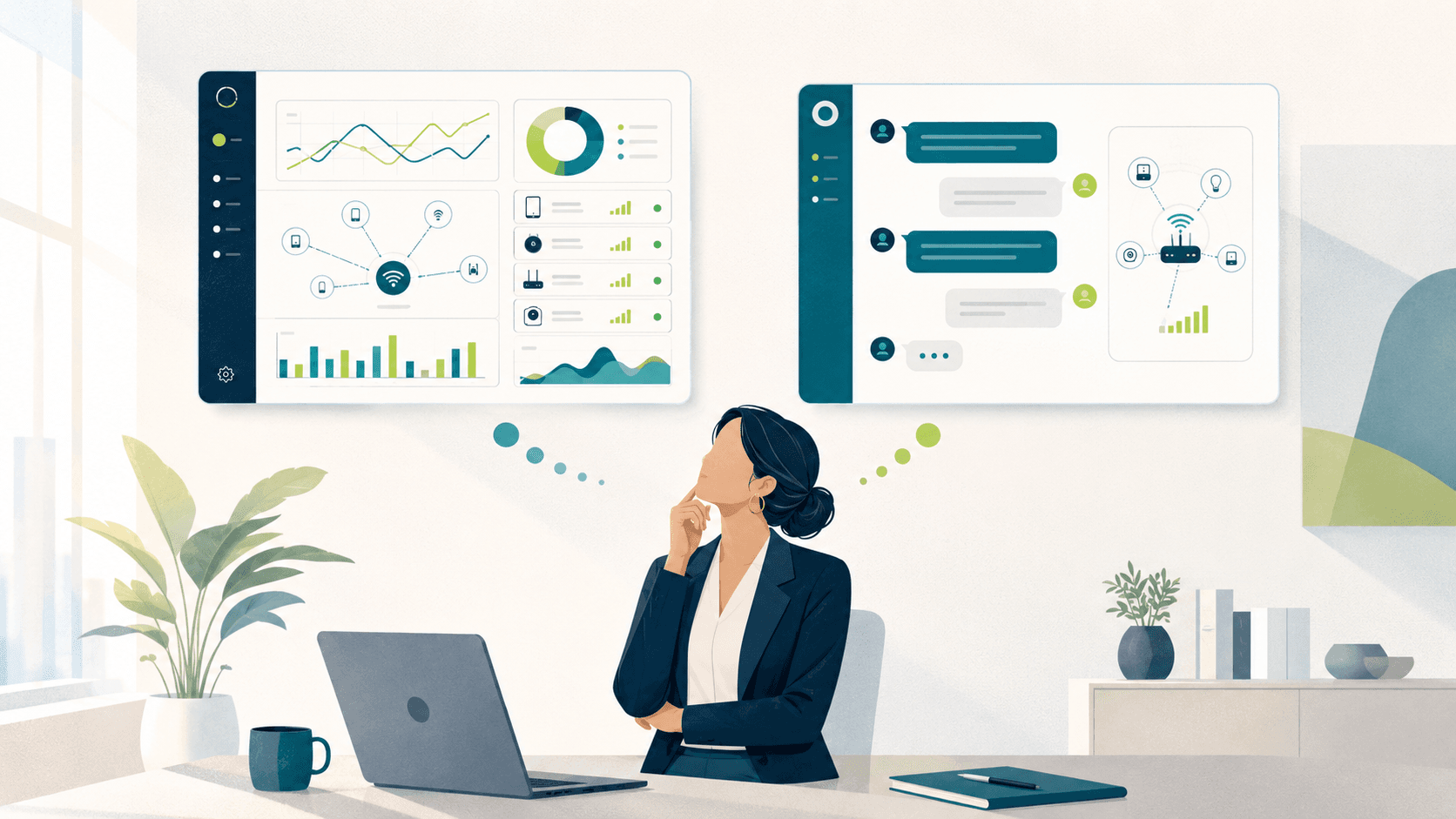
The honest answer is that you will, regularly, and you should. The dashboard and the MCP server are two doors into the same platform, and they are good at different jobs. Pretending otherwise would be like claiming the invention of the phone call made maps obsolete. Sometimes you need directions. Sometimes you need to see the whole city.
What follows is the breakdown we use internally. Not “AI good, portal old,” but a task-by-task account of where each one actually earns its keep. And it turns out there are more than two modes, because the chat window has a trick the framing does not anticipate: it can ask questions, it can run on a schedule, and when neither of those fits, it can build you a dashboard of its own.
Mode One: Look. When the Dashboard Wins.
Your first week with a new deployment. When five hundred routers arrive from a rollout and you inherit the account, you do not yet know what a normal Tuesday looks like. You do not know the naming convention, which groups exist, or what a typical device burns in a month. Clicking around the dashboard is how you build that mental map. You cannot ask a good question about a system you have never seen, and the fastest way to learn the vocabulary of your own deployment is to browse it.
Scanning, as opposed to searching. Sort the device list by data usage and run your eyes down the column. Humans are excellent at spotting the row that looks wrong even when they could not have described it in advance: the device with a suspiciously round number, the pair of twins that should not be twins, the naming typo that hints at a bigger provisioning mistake. A question retrieves what you asked for. A screen full of rows shows you the thing you did not know to ask for.
Layered configuration. Building a content filter policy for a school district means nested categories, allow lists, block lists, schedules, and group assignments that all interact. A form with validation, visible state, and an undo path is the right tool for that. Dictating forty interdependent settings one sentence at a time is a bad afternoon, and we will not pretend otherwise.
Evidence for other people. Auditors, school boards, and finance departments want artifacts: the CSV export, the formatted report, the screenshot with the date visible. The dashboard produces those in a shape other institutions already accept.
Watching something unfold. During live troubleshooting, a usage graph that refreshes while you toggle a setting beats asking “did it change?” every thirty seconds. When the situation is moving, a screen that moves with it is the right instrument.
Mode Two: Ask. When the MCP Connection Wins.
Add the Sentinel MCP server to Claude as a connector or to ChatGPT as an app, sign in with your normal Sentinel credentials, and a different class of work stops requiring the portal at all.
Questions that span screens. “Which devices used more than 80 percent of their plan this cycle, and are any of them in the loaner pool group?” In the dashboard, that is an export from the usage view, a second export from the group view, and a spreadsheet where you marry them. In chat, it is one sentence, because the assistant does the cross-referencing for you and hands you the intersection.
Explanations, not just data. The dashboard can show you that March was higher than February. It cannot tell you why. “Explain the March invoice” gets you a narrative with named devices, dates, and the moment the anomaly started, which is what your boss actually asked for when they forwarded the bill with a question mark.
The fire drill you handle from a parking lot. A hotspot goes missing on a Friday afternoon. From your phone: “Suspend the SIM on the hotspot assigned to the returned loaner, RTR-LOAN-114.” The assistant shows you exactly what it is about to do, you confirm, and the device is dark before you reach your car. No laptop, no VPN, no navigating a portal on a five-inch screen.
Suspend the SIM on RTR-LOAN-114. It was reported missing an hour ago.
Found it. RTR-LOAN-114, active, last seen 42 minutes ago, 1.9 GB used this cycle. Suspending stops all data immediately and is reversible. Reply YES to confirm the suspension.
Used tools: sentinel_devices · sentinel_device_actions
Follow-up chains. Every answer in a conversation is a foothold for the next question. “Show me offline devices” becomes “how long has the third one been down” becomes “has it done this before” becomes “open a support case with that history attached.” In the dashboard, each of those is a fresh navigation. In chat, the context carries, so the support case can be filed at the end of the same thread that found the problem.
Anything you would have to relearn. The task you do twice a year always costs more than it should, because you have forgotten where the setting lives. The assistant has not. Asking beats re-reading your own eight-month-old notes about which submenu holds the roaming report.
Mode Two and a Half: Build. When the Right Dashboard Doesn’t Exist Yet.
Here is where the chat-versus-dashboard framing quietly breaks, in the best possible way. Some answers are not facts. They are situations you need to keep an eye on for a week, and a chat transcript is a terrible place to keep an eye on anything. The old resolution was to file a feature request and hope the view you needed shipped someday. The new one is stranger: ask the assistant to build the dashboard.
Claude is unreasonably good at this. Tell it what you are watching and why, and it will generate a working dashboard as an artifact, charts rendered with a library like Recharts, laid out for exactly your situation, pulling live data through the same Sentinel MCP connection you already authorized. Not a mockup, a page you can reopen tomorrow with today’s numbers in it.
We renew our data plans in three weeks. Build me a dashboard for just the 34 devices in the Field Pilot group: usage against plan for each device, the group’s burn rate this cycle versus last, and a projection of where we land by renewal day.
Done. Three panels: a per-device bar chart sorted by percent of plan consumed, a cycle-over-cycle burn line, and a renewal-day projection with the two devices currently trending over highlighted. It pulls fresh usage from Sentinel each time you open it. Want a fourth panel comparing weekday and weekend consumption?
Used tools: sentinel_devices · sentinel_usage
Read that request again and notice how unreasonable it would be as a feature request. A view scoped to one group of 34 devices, framed around a renewal date three weeks out, with a projection nobody else in the company needs. No product team would build that, and they would be right not to. It is a dashboard for one person, one decision, one month. Which is exactly why generating it takes a minute and costs nothing.
The same move covers the incident week, when you want offline counts and signal history for one site on a page you can leave open on a second monitor. Or the board meeting, when you want four numbers presented cleanly instead of a portal login projected on a conference room screen. Or the pilot program, where the metrics that matter are peculiar to the pilot and will stop mattering the day it ends.
These dashboards are disposable, and that is their virtue, not their limitation. The Sentinel dashboard is the atlas, built carefully, for everyone, to last. A generated dashboard is a hand-drawn map of this week’s problem. You would not want the atlas to be disposable. You also would not commission a cartographer every time you needed directions to a renewal meeting.
Mode Three: Delegate. When a Standing Agent Wins.
The third mode is the one most people have not tried yet. If you catch yourself asking the same question every Monday, stop asking it and hand it to an agent that runs on a schedule.
This is where frameworks like OpenClaw and Hermes Agent enter the picture, alongside scheduled tasks in Claude. They connect to the same Sentinel MCP server, but nobody is sitting in the chat window. An OpenClaw instance can run the 7 a.m. sweep, ask Sentinel for every device offline more than 48 hours, and post the summary where your team already reads: three devices or none, every morning, without a human remembering to ask. A Hermes agent doing weekly usage triage carries what it learned about your deployment from one run into the next, so the report gets sharper instead of staying generic.
Good candidates for delegation share a shape: the question is identical every time, the answer needs to arrive on a schedule rather than on demand, and a summary is more useful than a screen. The Monday offline sweep. The monthly usage report with anomalies flagged. The quarterly inventory count against what finance thinks you own. None of these deserve a human’s morning, and none of them need the dashboard.
One boundary worth stating plainly: delegation covers the reading. Actions that change devices still preview first and wait for a human confirmation, whether the request came from you at a keyboard or from an agent at 7 a.m. A standing agent can tell you a device should be suspended. It cannot decide that on its own, and that line is load-bearing.
The Cheat Sheet
| Task | Best surface | Why |
|---|---|---|
| Getting oriented in a new or inherited deployment | Dashboard | You cannot ask about what you have not seen; browsing builds the mental map |
| Spotting the odd row among 500 devices | Dashboard | Eyes on a sorted column catch what you did not know to ask for |
| Building or reworking content filter policy | Dashboard | Layered, interdependent settings want a form with visible state |
| Exports and formatted evidence for auditors | Dashboard | Institutions accept files and screenshots, not chat transcripts |
| Cross-referenced questions spanning usage, groups, and billing | Chat (Claude connector, ChatGPT app) | One sentence replaces two exports and a pivot table |
| Explaining a bill or an anomaly | Chat | You want a narrative with names and dates, not another chart |
| Suspending a lost device from wherever you are | Chat, with preview and confirm | Faster than a portal on a phone, and it asks before it acts |
| Investigations with follow-up questions | Chat | Context carries across the thread; the portal starts over each click |
| Watching one group of devices through a renewal, pilot, or incident | Generated dashboard (Claude artifact with live Sentinel data) | A view scoped to one decision, built in a minute, discarded when it has served |
| A clean read-out for a board meeting or exec review | Generated dashboard | Four numbers presented well beats a portal login on a projector |
| Monday offline sweeps, monthly reports, inventory counts | Standing agent (OpenClaw, Hermes Agent, scheduled Claude tasks) | Identical question on a schedule; a summary beats a screen |
| Live troubleshooting while a change takes effect | Dashboard | A refreshing graph beats asking “did it work” on repeat |
The Pattern Underneath
Squint at the table and one pattern explains all of it. The dashboard is strongest when the value is in the looking: exploration, scanning, watching, arranging. The MCP connection is strongest when the value is in the answer: a specific fact, a cross-reference, an explanation, a confirmed action. The generated dashboard is strongest when the answer needs to hang around: one decision, one group of devices, one bounded stretch of time. And the standing agent is strongest when the value is in never having to remember.
Forming the question, look. Saying the question, ask. Watching the answer, build. Repeating the question, delegate. Teams that work this way do not abandon the portal. They just stop making it do jobs it was never good at, and the portal, frankly, seems relieved.
Frequently Asked Questions
Does Sentinel MCP replace the Sentinel dashboard?
No. The dashboard remains better for exploration, visual review, complex configuration, and producing export files. The MCP server is better for specific questions, cross-referenced lookups, one-off actions, and anything repeated on a schedule. Most teams use both every week.
Which AI assistants work with the Sentinel MCP server?
Anything that speaks the Model Context Protocol: Claude via a connector, ChatGPT via its app and connector support, coding tools like Claude Code, and self-hosted agent frameworks such as OpenClaw and Hermes Agent. Interactive assistants sign in with your Sentinel credentials over OAuth 2.1; headless agents can use scoped API keys.
Can a connected assistant change my devices without asking?
No. Every action that changes data returns a preview first and executes only after an explicit confirmation. The assistant operates under your login with your permissions, and every action lands in the audit log. That holds for scheduled agents too.
Can Claude build a custom dashboard from my Sentinel data?
Yes. With the Sentinel MCP connector authorized, you can describe the view you need and Claude will generate a working dashboard as an artifact, with charts built on a library like Recharts and data pulled live from your account each time you open it. It suits bounded situations: a renewal window, a pilot group, an incident week, a board read-out.
When is the dashboard clearly the better choice?
When you do not yet know what to ask, when the task benefits from scanning many rows at once, when you are building layered configuration like filter policies, and when someone else needs formatted exports or screenshots as evidence.
Try the Second Door
If your organization uses Sentinel, the setup is one URL and one sign-in. Add this as a custom connector in your assistant:
Authorize with your Sentinel credentials and start with a question you would otherwise have opened the portal for. The five-minute Claude.ai walkthrough covers it step by step, and the full tool catalog is on the Sentinel MCP page. Sentinel MCP is in public beta.